
Ask any engineering lead which part of their last project felt like a waste of time, and you’ll hear a familiar answer. It was the login screen again. Or the permission system. Or the third rewrite of the same payment connector. None of it was hard, but all of it took weeks, and none of it made the product any more special.
That frustration points to a simple idea. If you run more than one product, some parts of your software should be built once and shared. The trick is knowing which parts. Share too little and you repeat yourself forever. Share too much and you build a heavy system that nobody enjoys using.
This guide walks through how enterprise-grade platform architecture helps you draw that line. You’ll see what belongs in the shared core, what should stay inside each product, and how to avoid the traps that catch most teams.
 What Does Enterprise-Grade Platform Architecture Mean?
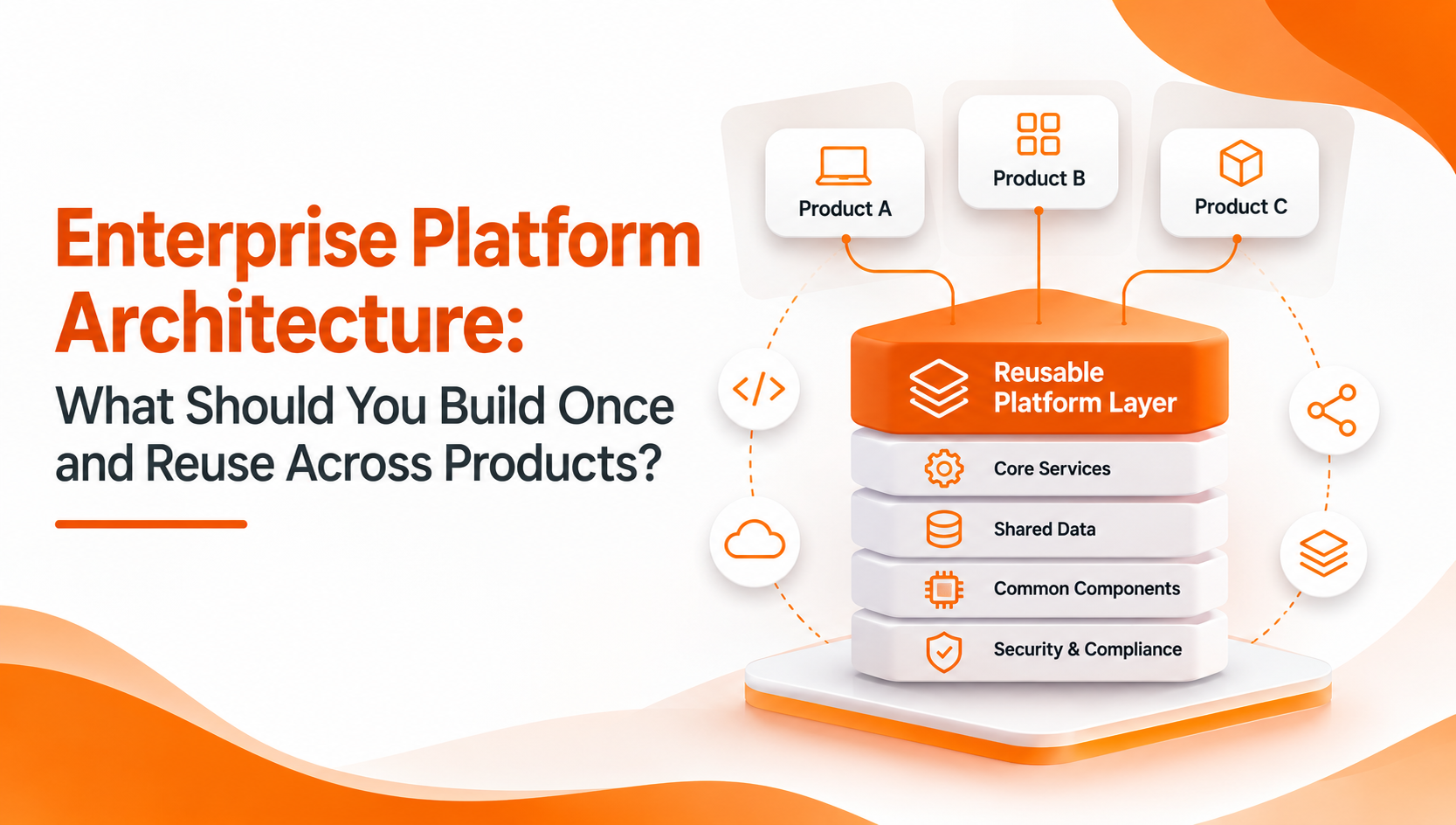
In plain words, it is a design approach where a common platform handles the repeated technical needs of many products. Each product then builds only its own business features on top.
The phrase “enterprise-grade” matters, though. It means the platform is not a quick shared folder of code. It is built to handle many users, many customers, strict security rules, and years of change without a rewrite. Think of reliability, isolation between customers, audit records, and room to grow.
A good test is this: could a new product launch on your platform without its team writing anything about accounts, permissions, storage, or notifications? If yes, the architecture is doing its job.
The Core Rule: Reuse What Is the Same, Own What Is Different
Before listing components, it helps to have one rule that guides every decision. Reuse anything that works the same way in every product. Keep anything that changes the meaning of the product.
Sending a password reset email works the same in a lab system, a learning portal, and a freight tool. That is reusable. But the way a lab calculates a reference range, or the way a freight tool ranks bids, is the heart of that product. That stays separate.
When you’re unsure, ask whether two products would ever want this to behave differently. If the honest answer is “no,” build it once.
What You Should Build Once
1. Identity, Roles, and Permissions
This is the best place to start. Every product needs to know who a person is and what they may do. When each team builds its own version, you get small differences that turn into security gaps.
A shared identity layer should cover user accounts, roles, and fine-grained permissions. It should also support more than one organization, so that customers or branches stay separate. Product teams then decide what roles mean in their world, but they never reinvent the mechanics.
2. Multi-Tenancy
Multi-tenancy lets one installation serve many separate customers, each with its own data and settings. It is hard to add later, because it touches every query, cache, and file path.
So decide early. Whether you serve external clients or internal departments, a shared tenancy model means you run one system instead of dozens. It also keeps costs sensible as you grow, since you aren’t deploying a fresh copy for every new customer.
3. Security and Audit
Security is the area where “build once” pays off most. A shared core can offer:
- Role-based access control
- Encrypted storage for sensitive data
- Audit trails showing who did what and when
- Scheduled, automated backups for files and databases
- Secure file management with version control
When an auditor or client asks how you protect data, you can give one clear answer, not a different one for each product.
4. File and Document Handling
Almost every business product stores files, whether they are invoices, reports, certificates, or scans. Upload rules, storage, access checks, and versioning are the same problem each time. Handle them once, and every product gets safe file management without extra work.
Along with this comes document generation. Reusable templates that produce Word, Excel, or PDF output save teams from writing formatting code again and again.
5. Notifications and Messaging
Products need to talk to users. Email, SMS, push alerts, and messaging apps are all just channels. A shared notification layer lets a product say “tell this user” without caring about the route, and it means you can switch providers later without touching product code.
6. Payments
Payment gateways are fussy, regulated, and easy to get wrong. Building the connection once, with gateways such as Stripe, Razorpay, or PayPal behind a common interface, keeps the risky code in one carefully tested place. Products simply ask for a charge and receive a result.
7. Background Jobs and Automation
Recurring work, such as syncing data, sending reminders, running reports, and creating backups, needs scheduling, retries, and failure alerts. A shared job system with proper monitoring spares each team from building a fragile scheduler of its own.
8. Integrations, Including AI
Businesses now connect to messaging channels, payment providers, and AI services as a matter of course. If each product wires these up differently, credentials end up scattered and errors become hard to trace.
A shared integration layer holds the keys, handles retries, and offers a single way to call each service. This is especially useful for AI providers, where models, prices, and policies change fast. Swapping a provider then becomes a configuration change.
9. Logging and Observability
Logs, dashboards, and activity reports belong in the core. When every product reports in the same format, you can spot problems early, plan capacity, and answer questions about usage without stitching together different tools.
What You Should Leave Inside Each Product
A strong platform knows its limits. Several things should stay with the product team:
- Business rules. Pricing logic, scoring, calculations, and workflows that define the product.
- Domain data models. A lab sample, a course, and a freight lane are very different things.
- User experience. Screens and journeys should fit each product’s audience.
- Product-specific reports. Generic reports help, but the insights that matter are domain-specific.
If you push these into the core, you slowly turn the platform into a product of its own, and every team ends up waiting on it.
How to Decide: A Practical Three-Question Check
When a new capability comes up, run it through three quick questions:
- Do at least three products need it? If only one does, keep it local for now. You can promote it later.
- Does it behave the same everywhere? If products need different behavior, share the mechanism but not the rules.
- Would a bug here hurt every product? If so, it deserves the extra testing a shared core gets.
This check keeps the platform lean. It also stops the common habit of sharing code just because it looks tidy.
Design Principles That Keep the Platform Healthy
Knowing what to share is half the job. The other half is how you build it.
Keep the Core Small and Modular
A monolithic platform forces every product to carry features it never uses. Instead, keep the core stable and small, and add capabilities as optional modules. A product switches on only what it needs. New modules can arrive without disturbing anything that already runs.
Version Everything
Products move at different speeds. Without versioned interfaces, one platform update can break three products overnight. Publish clear versions, keep old ones working for a reasonable time, and announce changes early.
Treat Developers as Customers
Neither a brilliant design nor a long feature list will help if the platform is painful to use. Good documentation, SDKs, sensible defaults, and quick support are what make teams adopt it. When developers find it easier to use the platform than to go around it, duplication fades away on its own.
Plan for Both Kinds of Growth
Growth can be vertical, where one customer gets bigger, or horizontal, where you add more customers and products. Support both with caching, queues, and distributed processing, so scaling stays a configuration matter and not a rebuild.
Mistakes That Catch Teams Out
Even careful teams stumble in familiar ways:
- Sharing too early. Extracting code before a second or third product needs it often produces the wrong abstraction.
- Ignoring ownership. A platform with no clear owner decays. Someone needs a roadmap, a budget, and time for upkeep.
- Skipping tenant isolation. It is far cheaper to design in than to bolt on.
- Overpromising. If a feature isn’t supported, say so plainly so teams can plan around it.
- Forgetting deployment choice. Some customers need cloud hosting, while others require their own infrastructure. A platform that supports both gives you room to move.
What This Looks Like in Practice
It is easier to trust an idea when you can see it working. ItNet, developed by Imbibe Tech, is built on this reuse-first thinking. It is a modular, multi-tenant platform that bundles user and permission management, secure file handling, payment gateways, notification services, document templates, background tasks, backups, and logging. It also connects to AI providers such as OpenAI and Gemini and to the WhatsApp Business API.
Several separate products run on top of it, including ItHealth for diagnostic labs, ItLearn for coaching institutes, ItHaul for freight sourcing, and ItTalk for WhatsApp automation. They serve very different industries, yet they rest on one shared core. That is the clearest sign of a well-drawn line between what is shared and what is specific.
A Quick Checklist Before You Begin
- List every capability your products share today, and mark those used by three or more.
- Decide how users and tenants will be separated.
- Put security, audit, and backups in the core.
- Wrap each outside service behind a common interface.
- Keep business rules inside the products.
- Name an owner for the platform and set a versioning policy.
Final Thoughts
Good enterprise-grade platform architecture is less about clever technology than about honest sorting. Some work is the same everywhere, and it deserves to be built once, tested well, and shared. Other work gives each product its character, and it should stay close to the team that understands it.
Start with identity, tenancy, security, files, notifications, payments, automation, and integrations. Keep the core small and modular, version it carefully, and look after the people who use it. Do that, and every new product launches faster than the last.
Frequently Asked Questions
What is enterprise-grade platform architecture?
It is a design approach in which one shared platform handles common needs such as user management, security, tenancy, payments, notifications, and integrations for many products. “Enterprise-grade” means it is built for scale, strict security, customer isolation, and long-term change.
What should you build once and reuse across products?
Build the capabilities that work the same in every product: identity and permissions, multi-tenancy, security and audit trails, file handling, notifications, payments, background jobs, integrations, and logging. Keep business rules, domain data models, and user experience inside each product.
How do you avoid over-sharing in a platform architecture?
Share a capability only when at least three products need it and it behaves the same way everywhere. Keep the core small, offer extra features as optional modules, and share the mechanism instead of the business rules when products need different behavior.

